 Combing through Hell’s Inventory
17 min read, 3850 words
Combing through Hell’s Inventory
Upon having finally entered and briefly explored Inferno, we shall now begin our more thorough investigations of which kinds of utensils are available to us, of which there appear to be numerous. In the following section we shall explore these in brief, for most of them are meagrely equipped with functions; yet there do exist a few that are able to do much and we shall thus look at these in more detail.
I also provide you with photographs of these programs frequently.
Files
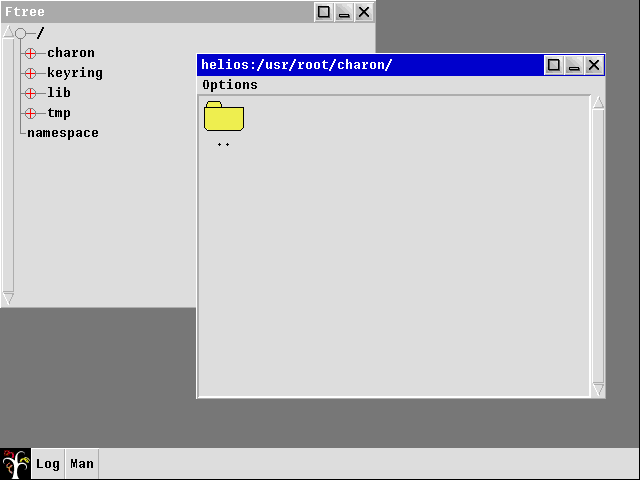
Its name is, I believe, rather self-explanatory — it merely provides us with a list of files; yet, it appears to struggle doing so, for when one tries to open it, one is pestered by the log, which puts itself into the spotlight to warn us of missing items. Lamentably, its messages are of little help; they speak of the user root which, apparently, does not exist; and they also speak of a missing plumber — truly tragic that the system seems to be having problems with its plumbing.

However, I believe our newly acquired friend, the manual may be of help; let us thus spawn it hither once more and ask it for advice. It tells us the following: —
Plumber provides high-level message-passing between applications.
This helps us discern what its purpose is; but alas, this helps us but scantly in ascertaining what the error is implying — indeed it appears our installation is missing this plumber altogether, but what is one to do to mitigate this?
In addition to the aforementioned information — and more, for I showed but the main definition of what plumber does —, the manual page provides us with a file path wherein we are to find its rules for a specific user: /usr/user/lib/plu-
mbing, wherein user must be replaced by the user who is currently using the system.
Upon entering the /usr directory, one immediately notices that there is but one lonely user present, namely inferno and the priorly mentioned root user is nowhere to be found.
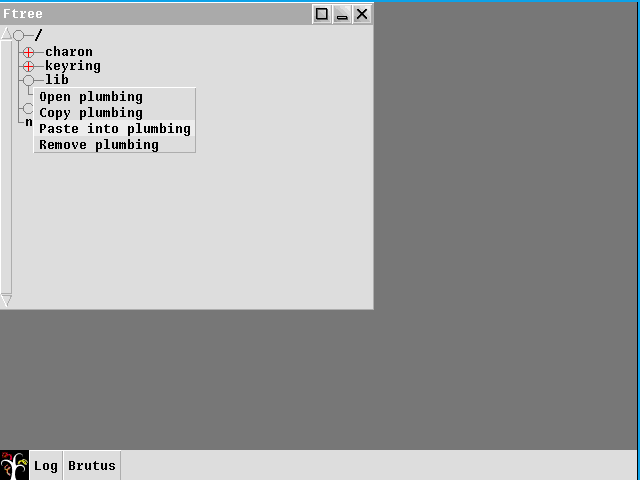
This discovery lead me to believe that a root user must be created, a task that, due to Inferno’s philosophy of all things being files, should be easily accomplished by simply copying the inferno folder and renaming it root; hence we created a second user, the one which Files was so desperately longing after, whereupon we should have finally gained the ability to execute the File program without it deeming it necessary to throw errors at us for things we did not do.
Indeed, having done so appears to have tempered him who dwells below the surface of Inferno, for Files opens without errors; why, it finally allows us to click folders to open them at inspect their contents freely and without being disturbed.
But withal, one may now ask oneself, has what I have just done really been the correct way? Surely, one should be able to log in as a different user; yet, unfortunately, I have been unable to ascertain how that is possible, for the manual page of wm proved to be of but meagre help. There seems to exist a command titled logon which, if used with wm, is supposed to provide a screen whereon a user can login; but alas, I have been unable to get it working.
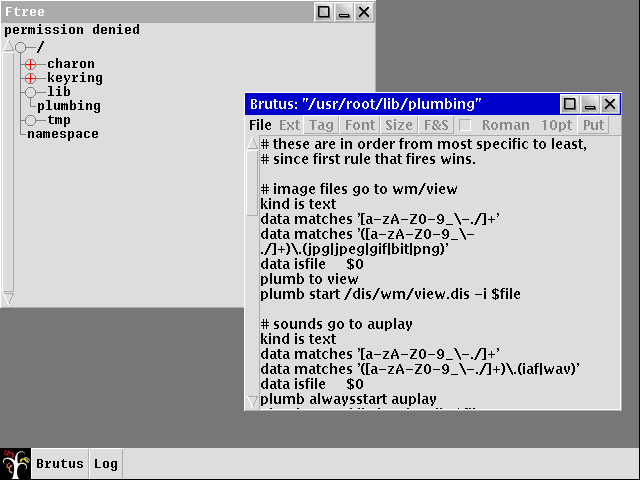
Upon having fixed this program, one is now able to open, copy or remove files by clicking and pressing the left mouse button; thereupon, a menu appears where one may select an option. Should you choose the option to open a particular file, a new program will reveal itself titled Brutus; yet mysteriously, one is unable to find it inside the start menu, for there it is nowhere to be found — an elusive program indeed, and one that, I must admit, I trust but little; for it appears to have gotten its name from one of those vile politicians who, back in yonder days of the Roman Empire’s glorious rule, stabbed Gaius Julius Caesar to death; why indeed, it was he whom Caesar asked, “Et tu, Brute?” in Shakespeare’s play, for Caesar did not believe even Brutus would have betrayed him; and as I have learnt to not trust this name, I shall be weary of it here, too.
Yet we are lucky, for there exists a manual page regarding Brutus which proclaims that: —
Brutus is a multi-file editor for UTF format text files.
Indeed, it appears to be but a mere text editor wherewith one is able to edit and view files; yet this raises two questions, for why can it not be found within the start menu and what is the reason for the existence of two text editors? Since, apart from vicious Brutus, there is another; one which is much more simple, something reflected in its name too, for it is called — in a truly uncreative Unix-fashion — merely Edit. I wonder, whither has their philosophy been tossed; their philosophy of being minimalist, for I cannot grasp the existence of two editors — whereof one being notably inferior — whose functions and purposes are nigh identical.
Charon
Continuing Inferno’s horrid tendency of naming its programs after beings whose names shall forever be associated with Death, its web browser is titled Charon; indeed he, from whom this program has received its name, is the ferryman of Hades; he whom the Greeks believe one must pay a toll, for otherwise they mayn’t cross the river; the river Styx; the infernal waters, which separate the land of those who live and those who are dead; and he who is unable to pay his dues is forced to wander its shores for æons before Charon shall return to take him to yonder side. Indeed, it was the custom of the Greeks and the Romans to place a coin into the mouths of the Dead, lest they arrive at the shores of the sulphurous waters, impoverished and without a coin to part with, whereupon they would be damned to wander its dismal coasts for years upon years, for Charon would not take aboard those poor souls who did not pay; nay, he would leave them ashore.
Truly, it appears that even we have been left ashore, damned to wander aimlessly, for we are unable to open websites but the one of Inferno itself. Must we, too, wait æons for him to return to us so that he may row us across the Internet river at speeds unfathomable, to allow us to reach other computers, located half-way across the world, in but the blink of an eye?
It surely appears to be the case, for I have been unable to ascertain its problem. It complains of a missing host file, but the lack of verbosity is truly aggravating; and lest my computer gets thrown through the window I shall continue with the next program.
Edit
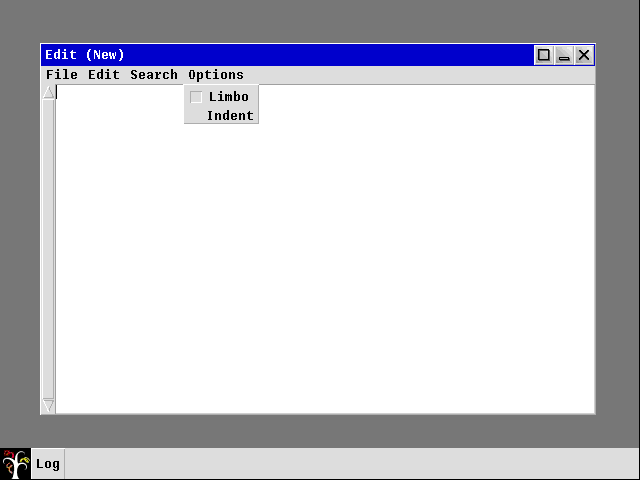
Having briefly touched upon the subject of editors when discussing Files and the editor wherewith it comes bundled, Brutus, which it opens when attempting to view files, we shall one more comment on the subject of editors. Since, as we have observed, one cannot spawn Brutus from the start menu; nay, for there one may find but plain Edit, a truly bleak program, wholly overshadowed by its seemingly big brother Brutus. Its option menu sparsely populated and its contents cryptic — for what is Limbo?
I must confess that I indeed do know of Limbo and its purpose; for it is the language wherein one is supposed to write programs for Inferno, to extent its reach into the world and to expand upon its existing functions. But alas, ’tis a subject much too advanced for us at this stage, for barely do we even know Inferno’s core functions; how are we, then, to write programs for it? Fear not of missing out, for we shall examine Limbo, but first we must understand Inferno’s inner works; only having done thusly shall we be aptly qualified to use Limbo.
Yon program, which reminds me of those used in bygone days, truly appears to be but a meagre editor and whereof not much can be said — it does, indeed, enable one to edit files, but this is all it is able to accomplish.
Acme
For once we are presented with a program whose name is rather descriptive; for it derives from the Greek’s ἀκμή which one can translate into English as zenith and truly, it is the most advanced of all programs we have thus far seen; and despite its appearance — which, alas, departs but little from that of Edit or Brutus —, it appears to be the system’s peak. Indeed, it strikes one as being feature-rich — that is, in Inferno’s terms, for the majority of its programs are rather barren — and rather sophisticated. Therefore, I thought it pertinent to engage with it more thoroughly and that we shall do.
I was initially confused wherefore the name Acme had been chosen, for I believed it to be but a mere acronym; yet this appears not to be the case and I believe my judgement of its name having been chosen for its omnipotence, as I believe one can do but little with Inferno were it not for Acme, is to be deemed accurate. Perhaps, though, I exaggerate, but I am confident in believing that most tasks would require one to do a much larger amount of work without it.
Ostensibly, one may wonder for what purpose the other programs have been constructed, since, indeed, Acme does what all other programs mentioned thus far — with the exception of Charon — can. The manual page for Acme describes it thusly: —
Acme manages windows of text that may be edited interactively or by external programs. The interactive interface uses the keyboard and mouse; external programs use a set of files served by acme[.] […]
Speaking of its manual page, it is the largest I have thus far seen, containing a great deal of information regarding its functions. Therefore, it shall be impossible for us to cover all its parts in-depth — indeed, we shall leave out a fair portion of it — and instead we shall be focussing on a small number of things I deem to be important or of interest.
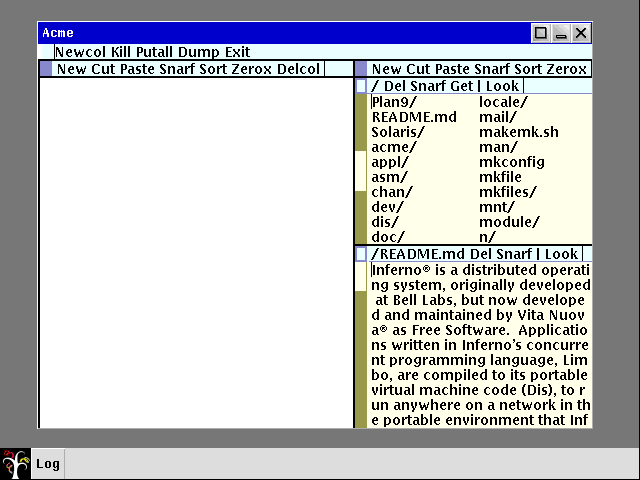
The first aspect of this program I wish to illustrate is its mouse support; for, indeed, it may be controlled by one’s mouse, yet its controls may seem rather unintuitive to those more accustomed to modern systems. One must also be prudent to differentiate between the title bar Acme has been imparted with by wm and its inner title bars, as the one which it has received from wm controls but the “outer” window of Acme itself; that is, it controls all of Acme, but not less and the inner parts of Acme cannot be manipulated or controlled using the outer title bar. The outer title bar, should my explanation sound too bizarre, is the title bar which contains the name of the program on its left side; and three buttons which enlarge, minimise or close the window respectively on the right side.
These two title bars have two rather distinct functions and controls, for the outer title bar is controlled in a fashion similar to that which is used on operating systems such as Windows wherein you are required to push the left mouse button to activate their functions. Yet the inner title bars depart from this control scheme quite significantly — and wherefore this has been done eludes me greatly —, for one is required to make use of all available mouse buttons; indeed, using the middle mouse button is a frequent occurrence in Inferno.
I believe it pertinent, though, to commence by studying the individual parts of the inner title bars prior to my explanation of their controls — for how may one control something one has but little knowledge of?
As visible on the provided photograph, there exist several windows within Acme, whereof each is in the possession of its own bar; yet there also exists a title bar I shall henceforth call the master title bar, for therewith one may control all of the inner windows — indeed, one may spawn a new inner window with it. Peculiarly, there appears to exist an Exit field on the master title bar, rendering the X of the outer title bar redundant; surely, leaving it out would have not impeded the program’s functionality in any way but could have aided in making it appear less complicated.
In addition to this absolutely expendable button and the aforementioned button permitting one to spawn a new column — or inner window —, three other buttons can be observed; namely Kill, Putall and Dump — truly abhorrent names, I must confess, and ones that do not appear to have any discernible function, for clicking them seems to do but little. Thus, consulting the manual would no doubt be advantageous.
Upon having done so, one should have ascertained that Dump saves Acme’s current state — which, I believe, encompasses the currently opened inner windows / column and their position within Acme itself — to “acme dump”; it truly appears these names have been chosen by someone of but little good taste, for they are quite dismal beyond any doubt — surely, the choosing of a less vulgar and perhaps more descriptive name would not have been too difficult a task.
The function of the Kill button is, to me, rather equivocal, for the manual has but little information regarding its function and merely states the following: –
“Send a kill note to acme — initiated commands named as arguments”
Given this rather tenuous explanation of its function is, unfortunately, insufficient for me to comprehend it; due to that, I shall refrain from commenting on it further and proceed with the last item, namely Putall.
Yet, I was forced to uncover, it, too, appears to have a rather cryptic manual entry, for it describes its function thusly: —
“Write all dirty windows whose names indicate existing regular files”
It is truly remarkable how a manual page has the ability to baffle one so greatly that he is thence even more perplexed than he was prior to having read it. For, indeed, why would there be dirty windows on an operating system; something that does not physically exist? However, I believe this being in reference to windows which have had changes done upon which have not yet been saved. Let us therefore continue by examining the other windows’ title bars, even though they, too, appear to contain names I find much too cryptic.
The very first item thereon is a simple square, either suffused entirely by a cerulean colour or merely possessing borders of that colour, in which case the other parts of the square are entirely white; yet the reason wherefore there exist two distinct types of rectangles escapes me, for they seem to fulfil the exact same functions, namely moving the window around. Indeed, if one wishes to change the location of one of Acme’s inner windows, one is required to press and hold the left mouse button and hence move the window whither one desires.
Located to its right, a button titled New can be found, wherewith one may spawn additional inner windows.
Thereafter appears Cut, which allows one to remove the text which has been selected and, as the manual states, which the computer then places into the “snarf buffer” — horrid naming conventions will, undoubtedly, not disappear henceforth. Snarf appears to be the name of the system’s clipboard, which also explains the function of the Snarf button which can be seen further to the right — it copies selected text into the clipboard.
Zerox has a rather intriguing function, for upon having clicked it, a new windows containing the text which appeared in the old window, emerges; truly a most helpful function to be in the possession of, for it may save one precious time. Yet, it may not behave in the exact manner one expects it to behave, as it not merely spawns a new window; nay, it quasi-mirrors the window whence it was spawned, leading to the existence of two windows which each contain the exact same content. Indeed, changing the content of one window reveals that the cloned window, too, has its contents altered in the same manner, whereas my initial speculation was that Zerox would create a window which one could alter separately — but alas, this appears to not be true.
The reason behind the existence of such a function eludes me somewhat, for I am unfortunately incapable of understanding how one may use this in a meaningful way; having one’s window precisely mirrored, to me, is a rather impractical behaviour. If, instead, one was able to modify the contents of each window independently, I would understand and even wholly endorse it; yet I fail to comprehend this particular implementation.
There exist a small number of additional functions, yet I found those but of little importance to mention here and we shall thus proceed with other programs.
Tetris and Bounce
The system is bundled with two games, one of which one may scantly call a game, for it is but a screen permeated by bouncing balls of varying colours and the only controls one has over aforesaid balls is the amount appearing on screen, which one may de- or increase, and the ability to draw lines, off which the balls are able to bounce.
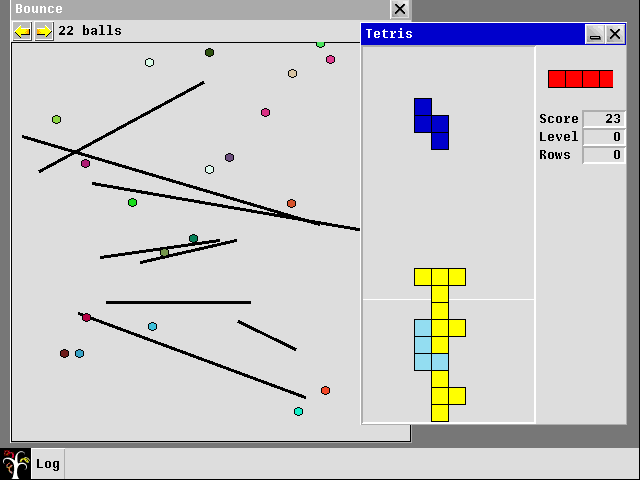
In addition to this, an actual game — a reproduction of the acclaimed Tetris, a game which appears to have transcended time itself — can be played. Yet, once more, I cannot fathom wherefore this would be included, for this operating system was intended mainly for programmers who, I would like to argue, probably would not spend any time with playing a game, as their host operating system would have a much more capable environment for such an endeavour.
I am wholly convinced by the fact that, had they left these games out, nothing of interest would have been lost and I believe their reason for creating these is to boast about their new programming language’s abilities.
Utilities
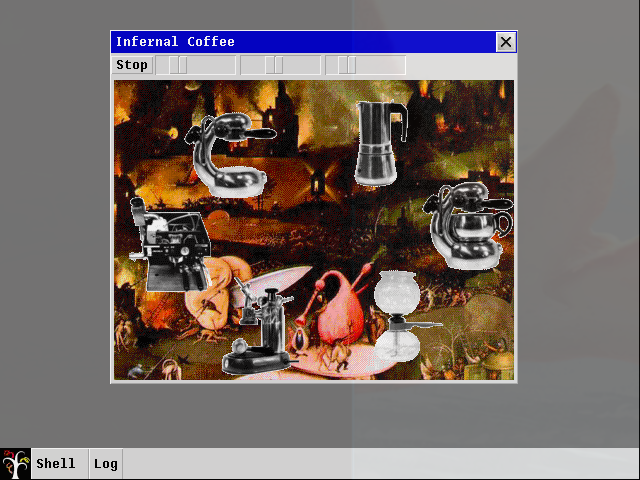
In addition to the aforementioned games, the system incorporates a number of utilities, whereof some appear to be of but very little use; indeed, the Coffee utility — a program wherewith one is able to control the speed and shakiness of half a dozen coffee making machines, spinning around fruitlessly in front of a depiction of Dante’s Inferno — is described as, “A whimsical plaything” within the operating systems own manual; a description that I am in complete agreeance with.
Aside from the rather peculiar Coffee program, there exist a number of other utensils which are to be found in the start menu’s Misc and System categories respectively; therewith one may perform, amongst other things, system monitoring tasks or receive various kinds of information, such as the current date and time. Hereof, however, I found only a small handful significant enough to include herein, such as the rather simplistic, yet indispensable, task manger. It functions in much the same manner as one would expect and is indispensable insofar that, should matters turn awry, one may terminate a program therewith in a swiftly fashion without having to result to the kill command, saving one precious time to be spent attending to matters more serious and important.
Another program I found to be of much use is the rather simplistic, yet quite convenient, Colours — although it appears Inferno is indecisive regarding the spelling of this word, for the title bar thereof reads Colors, whereas the start menu entry uses the much superior British English spelling of Colours — which allows one to choose a colour of one’s liking, whereupon one is shown said colour’s value in RGB and Hex. Yet, I must admit, the colours appear to have been arranged in a most peculiar fashion, with no discernible logic therebehind.
Herewith we shall conclude this section, for the remaining programs — of which, I must add, there are but a small amount — are not worthy a mention herein, as they are rather ordinary; examining these in-depth would be of but little use. Instead, I believe we may henceforth begin with the study of the rather alluring Limbo programming language.